Cross-functional lifecycle mapping showed the problem was reading a payment
I led design through delivery with the product manager, a solutions architect and a 15-strong engineering team. The finance team raised and paid invoices every day on a legacy system that worked but was old, slow to use and not connected to the rest of their software. To be sure where a payment stood, invoiced, paid, settled or past its deadline, people checked it two or three times across systems that did not talk to each other. I started by mapping the whole lifecycle with the product manager, finance, operations and engineering, from estimate to settlement. The finding reset the project.
- Approvals screen
- Payments screen
- Legacy finance system
- Email, to chase status
- Document folder
Progress and Notes
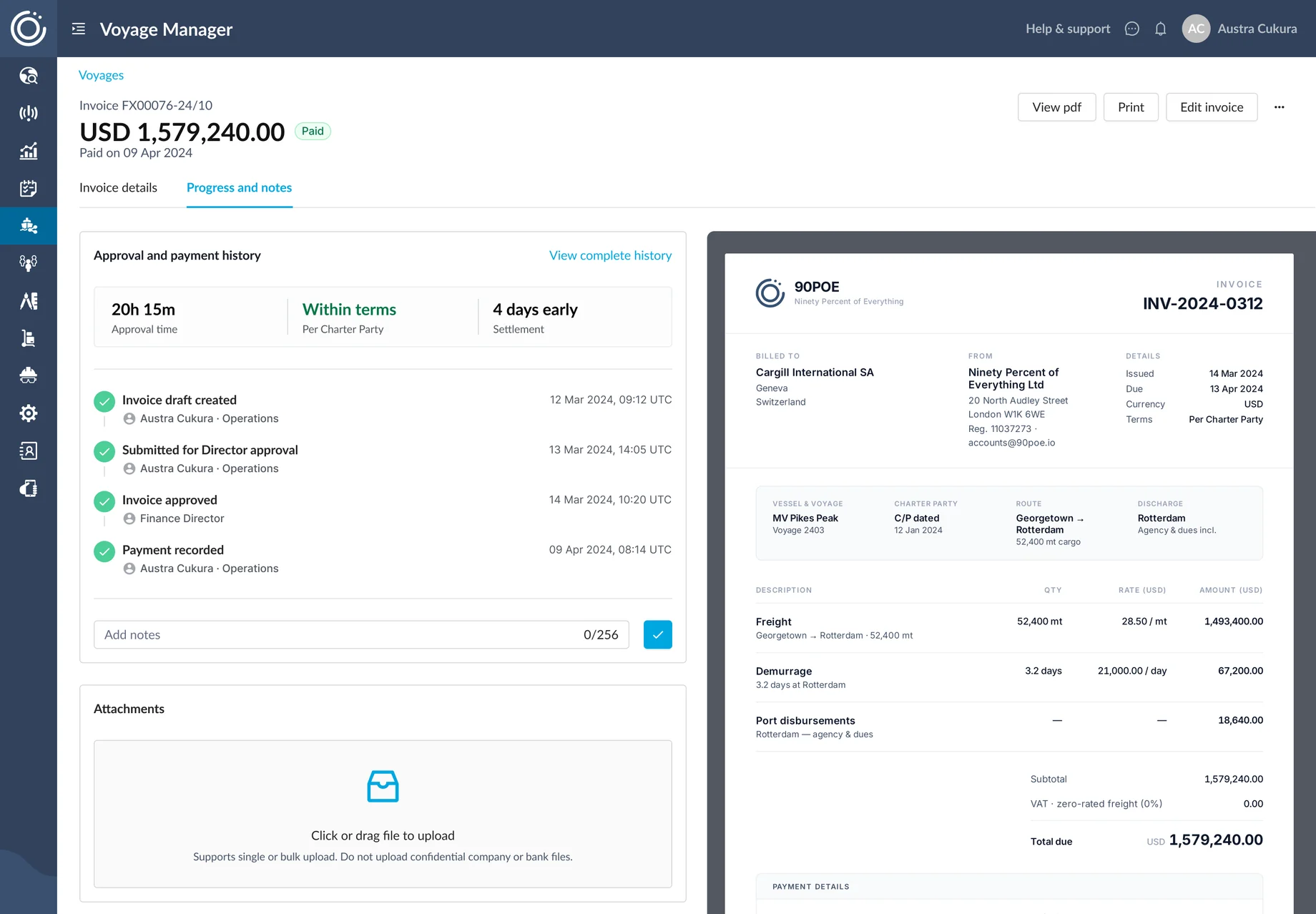
The whole payment on one rail. Status, approvals and notes, in the order the team works, so you always know where a payment stands.
Evidence from 32 users changed leadership's mind on the share link
Leadership had proposed a share link in place of a status view, to save engineering time for the MVP. This is money moving between companies. A link sits unopened in an inbox. The decision needed more than my opinion, so I tested both versions with 32 users and brought the data. The share link went. The whole payment sat on one screen, easy to read and to change.
I consolidated each payment’s history into one view
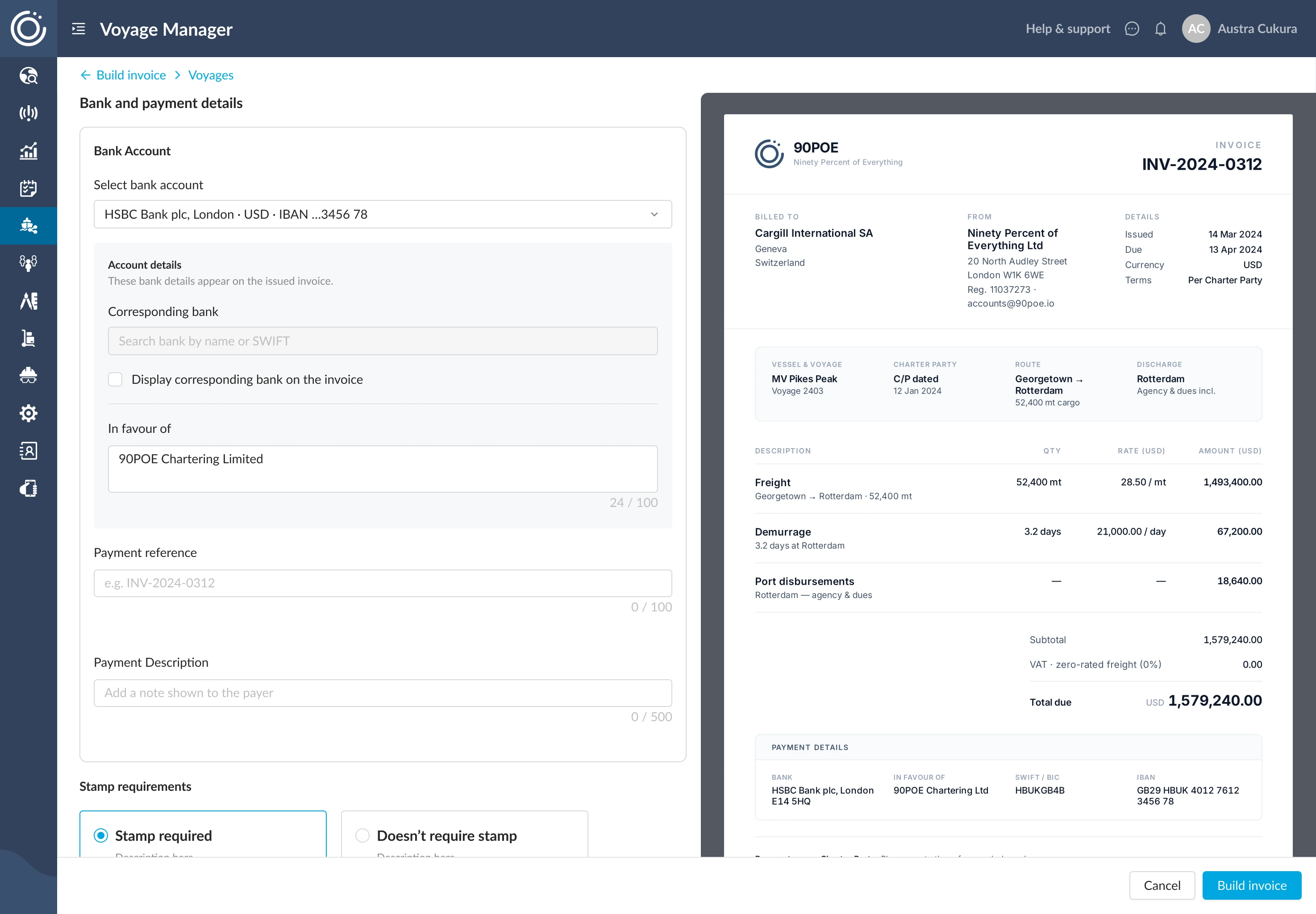
I pulled a payment's whole history into one view, Progress and Notes, sitting right beside its invoice. Status, approvals, comments and whatever still needed attention, in the order the team worked. I built it in high fidelity against real invoice data, because what mattered was how it read at full scale.
The invoice kept its familiar design to protect cash collection
One thing had to stay still: how the invoice looked. One of the world's largest ship managers, with a fleet of around 200 vessels, was moving its whole company onto it as part of a wider transformation programme. Their invoices go out to their own customers. A customer who has to hunt for a familiar line pays late, and at their scale a delay means millions. They asked for a new invoice that stayed consistent with the one their customers already knew.
I held one rule with their transformation team: the invoice stays still, everything around it changes. The document kept its familiar design while we automated everything around it.
View my comment
A modern redesign would have demoed well. But these invoices go out to the client's own customers, and a document that suddenly looks different is one people hesitate to pay. Keeping the design consistent kept the money arriving on time.
The PDF generator engineering ruled out shipped inside the MVP
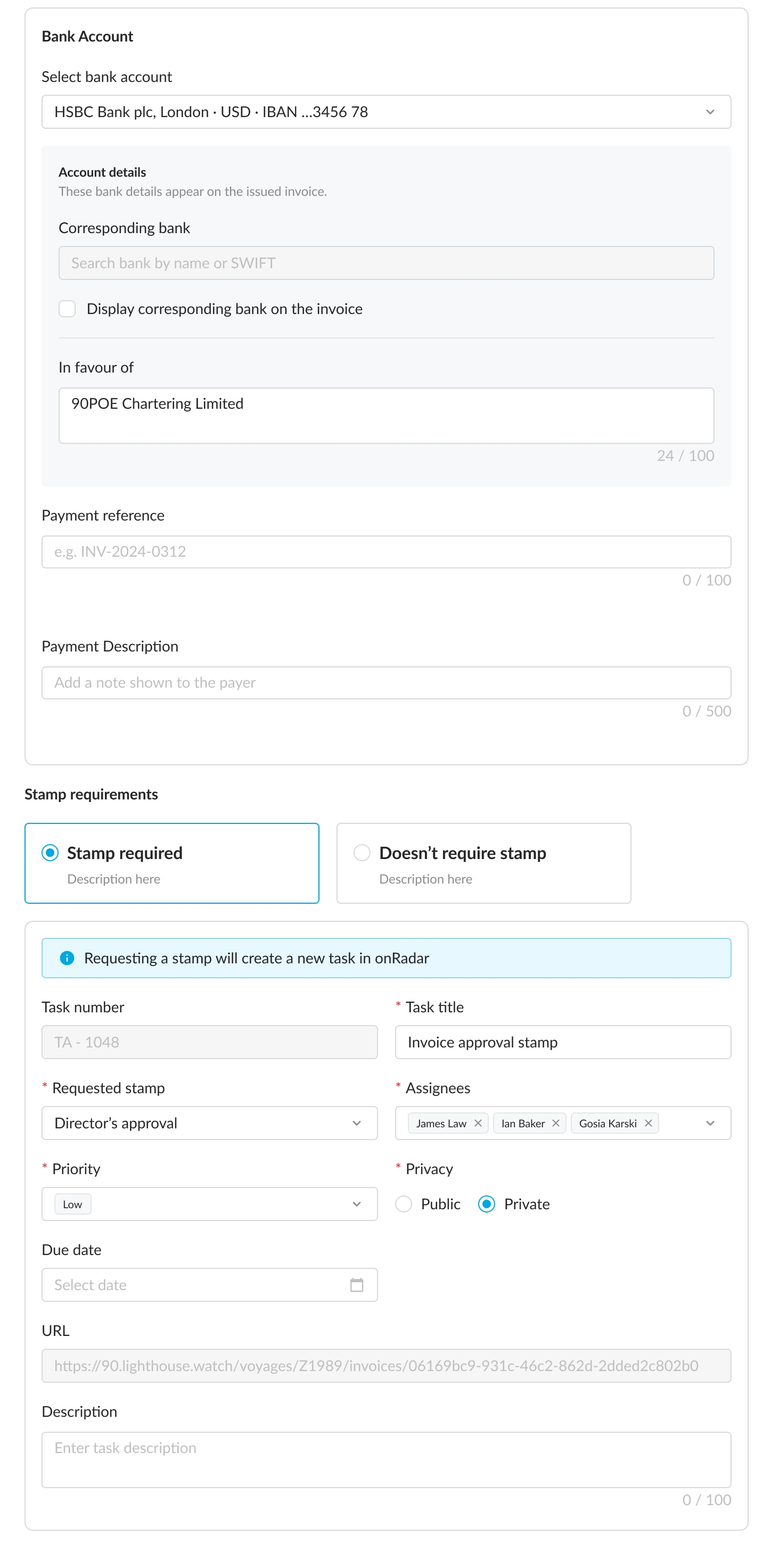
Engineering's first answer was that the PDF generator could not be built in time. I asked what the constraint was. The team had not built one before, so the only risk was time. I brought the user testing to leadership. The sprint plan made room for it, and it shipped inside the MVP. Seeing the final document before sending was what made teams trust the automation.
Department-aware views served two operational teams in one product
Two teams used the module every day and needed different things from it. The wet team, which handled tankers and disbursements, and the dry cargo team each had their own columns and filters. Neither needed to see the other's. Two products would have doubled every change for ever, so I tested one combined view first. Once the flow settled, the module started recognising which department was looking and showing that team's part, with its own filter settings saved. That gave one product with two views. After launch, the analytics showed no drop-off and no unusual editing in either team.
Finance module
Recognises which department is looking
Wet team
Tankers and disbursements, with its own columns and filters
Dry cargo team
Its own columns and filters
Three-tier permissions and two-approver sign-off passed the client’s security review
I designed the permission model: three tiers, from view-only to full sign-off, and a two-approver chain on every invoice and payment, with a separate flow for a director's signature. It went through the client's IT and security review. Both 90POE and the client signed it off. Once something was approved, the status updated on its own, with no more chasing by email.
$500M in the first five months, and a pattern three other teams adopted
Every invoice went out on time. Automated document generation ended the retyping that had caused the errors. Exception detection meant a stalled payment surfaced on its own. In the five months after the MVP launched, $500M moved through the system. The platform had no finance module before this. What shipped was the full finance module and a programme of automation upgrades across invoicing, approvals and document workflows. The pattern went into the design system and across the whole product. Three other teams picked it up immediately.
This was a 0 to 1 build, and I owned it end to end. I led the invoice generator from design through build: a year of sprint-by-sprint delivery with user testing throughout, working with the client's transformation team to land the change across their company. The client's finance team signed off every flow.
On a 0-to-1 MVP, the key design calls took things away
The share link went, and each payment's history moved into one view. The invoice kept the design its customers already knew, even though a modern redesign would have demoed well. The finance team's morning check went from several systems to one screen.